


For most Singapore homes, the best Mitsubishi aircon settings are Cool mode at 23-25°C for daily comfort, Dry mode on humid days, Fan mode when you only need airflow, and Econo Cool when you want steady comfort with less energy use. The setting that works best is not always the coldest one, it is the mode that matches the room condition.
After a long humid commute home, most people press the lowest temperature and hope the room cools faster. That is usually where the problem starts. Mitsubishi aircon modes are designed for different situations, and using the right mode can make your HDB flat, condo, or resale home feel more comfortable without overworking the unit.
What do Mitsubishi aircon mode symbols mean?
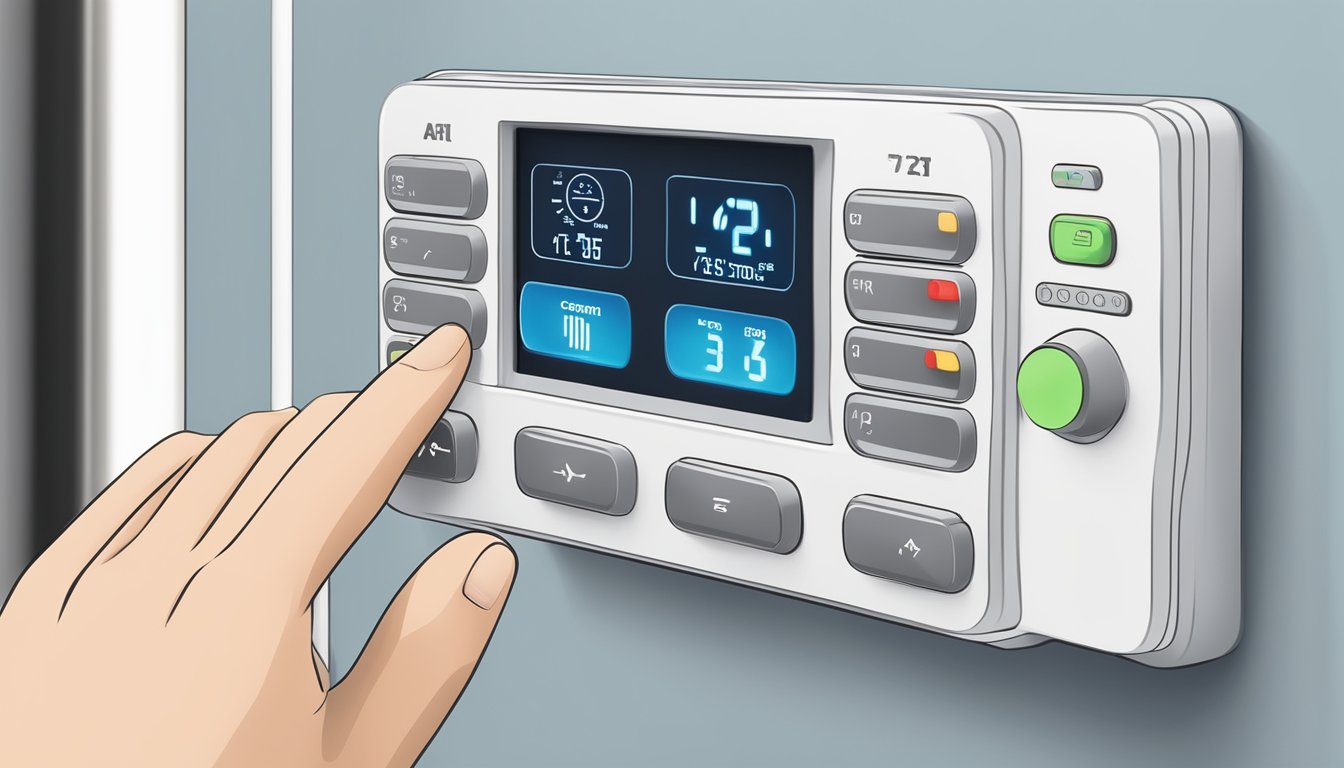
Mitsubishi aircon mode symbols may vary slightly by remote model, but most Mitsubishi Electric AC modes follow a familiar set of icons. If your remote looks different, check the manual for your specific Starmex or Mitsubishi Electric unit before changing advanced settings.
| Mode or symbol | What it usually means | Best used for |
|---|---|---|
| Cool mode | Cools the room to your selected temperature | Daily cooling in Singapore weather |
| Dry mode | Reduces moisture in the air | Humid afternoons, rainy days, or rooms that feel sticky |
| Fan mode | Circulates air without active cooling | Mild evenings or rooms that already feel cool |
| Auto mode | Automatically adjusts operation based on room condition | Users who prefer low-effort comfort |
| Heat mode | Warms the room if the model supports heating | Less relevant in Singapore, more useful in colder climates |
| Fan speed bars | Controls airflow strength | Faster cooling at start-up, quieter airflow at night |
| Vane or swing | Controls airflow direction | Spreading cool air across the room instead of blasting one spot |
| Sleep or Night mode | Adjusts comfort and noise levels for bedtime | Bedrooms, nurseries, and light sleepers |
| Econo Cool | Uses airflow control to maintain comfort while reducing cooling load | Longer cooling periods, especially in bedrooms and living rooms |
Best Mitsubishi aircon settings for Singapore homes
Singapore’s humidity is the real villain. A room can feel uncomfortable even when the temperature is not especially high because moisture makes the air feel heavy. That is why the best Mitsubishi aircon settings are usually a mix of temperature, mode, fan speed, and airflow direction.
For most rooms, start with Cool mode at 23-25°C. If the room feels cold but still sticky, switch to Dry mode for a while instead of dropping the temperature further. If the room is already cool after rain or at night, Fan mode may be enough to keep the air moving.
A practical position: in Singapore, 18°C is usually a panic button, not a comfort setting. It may make the compressor work harder, but it does not always make the room feel better. Good airflow and moisture control matter more.
How to use Mitsubishi Electric AC modes properly
Cool mode
Cool mode is the everyday setting for most Mitsubishi aircon units. Use it when the room is warm and you want the system to bring the temperature down to your selected level.
For living rooms, start with a moderate temperature and a higher fan speed for the first few minutes. Once the room feels comfortable, reduce the fan speed or switch to Auto fan. In bedrooms, a moderate temperature with gentle airflow is usually more comfortable than very cold air pointed directly at the bed.
Dry mode
Dry mode is useful when the room feels damp, sticky, or musty. It focuses on removing moisture from the air rather than aggressively cooling the room.
This is especially helpful during rainy weather, after cooking, or in bedrooms where windows stay closed for long periods. If your room feels clammy even with the aircon running, Dry mode may solve the issue better than lowering the temperature.
Fan mode
Fan mode circulates air without active cooling. It uses the indoor fan to move air around the room, making it useful when the space is already comfortable but feels a little still.
Use Fan mode in the evening, after the room has already cooled down, or together with a ceiling fan for better air movement. For homes trying to reduce daily aircon usage, pairing air movement with thoughtful furniture placement can help the room feel less stuffy. Browse ceiling fans for Singapore homes if you want extra airflow without relying on colder aircon settings all the time.
Auto mode
Auto mode lets the aircon decide how to adjust operation based on the room condition and your selected temperature. It is useful if you do not want to keep changing settings throughout the day.
That said, Auto mode is not always the best choice for every room. In humid Singapore weather, some users may prefer manual Cool or Dry mode because the room can feel uncomfortable even when the temperature reading looks fine.
Sleep mode or Night mode
Sleep mode is designed for overnight comfort. Depending on the model, it may adjust the temperature gradually, reduce operating noise, or soften the airflow.
This matters in smaller HDB bedrooms where the aircon is close to the bed. Direct cold air can feel harsh after a few hours, especially if your bed is placed under or opposite the indoor unit. Use lower fan speed, adjust the vane, and avoid aiming airflow straight at your face or chest.
What is Mitsubishi air conditioner Econo Cool?
Mitsubishi air conditioner Econo Cool is an energy-saving feature found on selected Mitsubishi Electric models. It works by adjusting airflow and cooling behaviour so the room can still feel comfortable without relying only on a lower temperature setting.
Use Mitsubishi air conditioner Econo Cool when the room is already reasonably cool and you want to maintain comfort for a longer period. It is especially practical for bedrooms, study rooms, and living rooms where the aircon runs for several hours.
Econo Cool is not ideal when you have just returned to a very hot room, especially a west-facing unit that has absorbed afternoon heat. In that case, start with Cool mode and stronger fan speed first. Once the room settles, switch to Econo Cool for steadier comfort.
Starmex aircon mode guide for everyday use
Many Singapore households use Mitsubishi Electric Starmex systems, so the Starmex aircon mode settings deserve special attention. While exact symbols differ by remote and model, the basic approach stays the same.
- For hot afternoons: Use Cool mode first, with medium or high fan speed until the room temperature drops.
- For rainy days: Use Dry mode if the room feels damp rather than hot.
- For sleeping: Use Cool mode or Sleep mode with softer airflow and a moderate temperature.
- For long use: Use Econo Cool after the room becomes comfortable.
- For mild evenings: Use Fan mode if you only need circulation.
If the remote has i-see Sensor, Powerful, Quiet, or Vane controls, treat them as fine-tuning tools rather than everyday defaults. Powerful mode is helpful for quick cooling, but it should not be your normal setting for hours.
How to read Mitsubishi aircon symbols on the remote
The most common Mitsubishi aircon symbols are mode icons, fan speed bars, vane direction symbols, timer icons, and temperature arrows. If you are unsure, press the Mode button slowly and watch the display change one symbol at a time.
Here is the simple method:
- Press Mode until the symbol for Cool, Dry, Fan, Auto, or Heat appears.
- Set the temperature using the up and down buttons.
- Adjust fan speed based on how quickly you want the room to cool.
- Use Vane or Swing to spread air across the room.
- Use Timer or Sleep mode if you are cooling the room overnight.
If you have moved into a resale flat and inherited the aircon from the previous owner, do not assume the remote matches the indoor unit perfectly. Check the model number and manual before relying on special functions.
Common Mitsubishi aircon settings mistakes
Setting the temperature too low immediately
Dropping the temperature to the lowest setting does not always cool the room faster in a useful way. It can make the system work harder and leave the room uncomfortably cold once the heat load drops.
Ignoring Dry mode
Many users stay on Cool mode all year. In Singapore humidity, Dry mode can be more comfortable when the air feels damp but the room is not extremely hot.
Pointing airflow directly at people
Direct cold air can feel good for five minutes and uncomfortable after an hour. Use the vane or swing setting to spread air across the room instead.
Using Powerful mode for too long
Powerful or turbo-style cooling is useful at start-up. Once the room is comfortable, return to normal Cool, Auto, or Econo Cool.
Forgetting the room layout
A bulky wardrobe, tall shelf, or high bed frame can block airflow and create warm pockets in the room. If you are furnishing a bedroom around an existing aircon unit, keep airflow paths clear. For compact bedrooms, consider wardrobes with practical storage layouts and storage beds for HDB bedrooms that do not crowd the cooling path.
Aircon comfort also depends on your room setup
The aircon setting is only half the story. A west-facing room with afternoon sun, heavy curtains, poor airflow, or heat-trapping furniture will always feel harder to cool.
Keep windows and doors closed while cooling. Use curtains or blinds to reduce afternoon heat. Avoid placing tall furniture directly below or in front of the aircon unit. In the bedroom, leave enough space around the bed so cool air can move instead of getting trapped on one side.
Complimentary delivery and professional installation are available on qualifying orders from Megafurniture. That matters when new furniture needs to fit through HDB lifts, corridors, and room doors without blocking the airflow you rely on every night.
For appliances and home essentials that support a cooler, more comfortable home, browse home appliances in Singapore.
Frequently Asked Questions
What are the main Mitsubishi aircon modes?
The main Mitsubishi aircon modes are Cool, Dry, Fan, Auto, Heat, Sleep or Night mode, and selected energy-saving functions such as Econo Cool. Availability depends on the exact Mitsubishi Electric model.
What is the best Mitsubishi aircon setting for Singapore?
For daily use, Cool mode at 23-25°C is a practical starting point. Use Dry mode when the room feels humid, Fan mode when you only need circulation, and Econo Cool when the room is already comfortable.
What does Dry mode do on a Mitsubishi aircon?
Dry mode helps reduce moisture in the air. It is useful in Singapore during rainy weather or when a room feels sticky even though the temperature is not very high.
Should I use Cool mode or Econo Cool?
Use Cool mode when the room is hot and needs to cool down. Use Mitsubishi air conditioner Econo Cool after the room is comfortable and you want to maintain it more efficiently.
Why are my Mitsubishi aircon symbols different from online guides?
Mitsubishi aircon symbols can differ by model, remote type, and market. If your remote display does not match a general guide, check the manual for your exact indoor unit model.
Is Heat mode useful in Singapore?
Heat mode is usually not needed in Singapore’s climate. If your unit has it, it is designed for warming rooms in colder climates or specific conditions, not regular local use.